
Selfies.
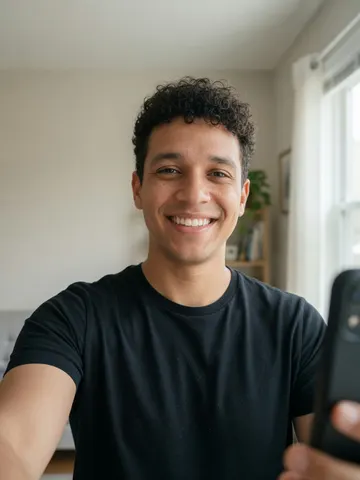
The classic way to use the generator is with your own face. A recent, well-lit selfie gives the most convincing result, and you get to see yourself as the center of the party.
The viral party trend
One photo. One viral party clip.
🔒 Photos deleted within 24 hours.
Guy selfie → chandelier party
Guy selfie, turned into a chandelier party clip
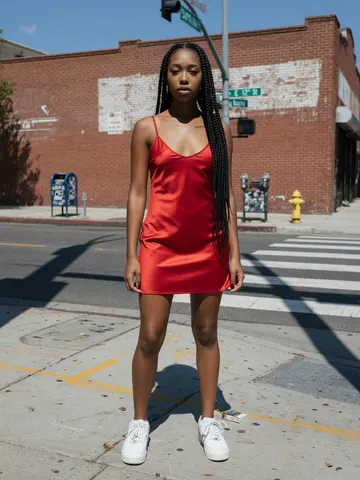
Woman’s photo, turned into a chandelier party clip
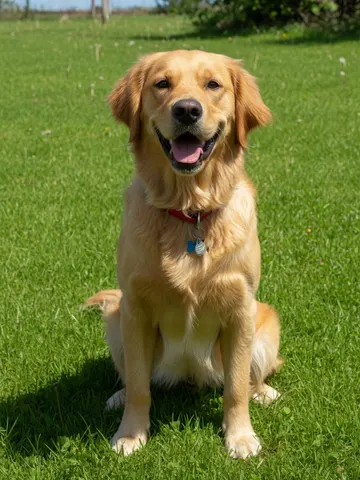
Golden retriever photo, now hosting the party
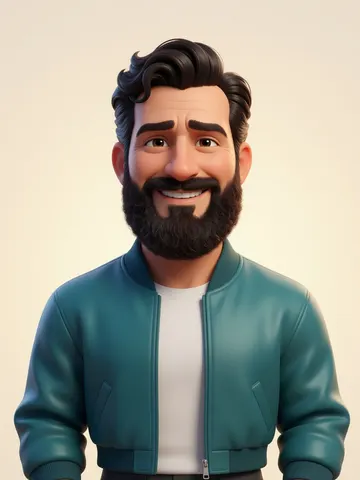
Cartoon portrait, brought to life at the party
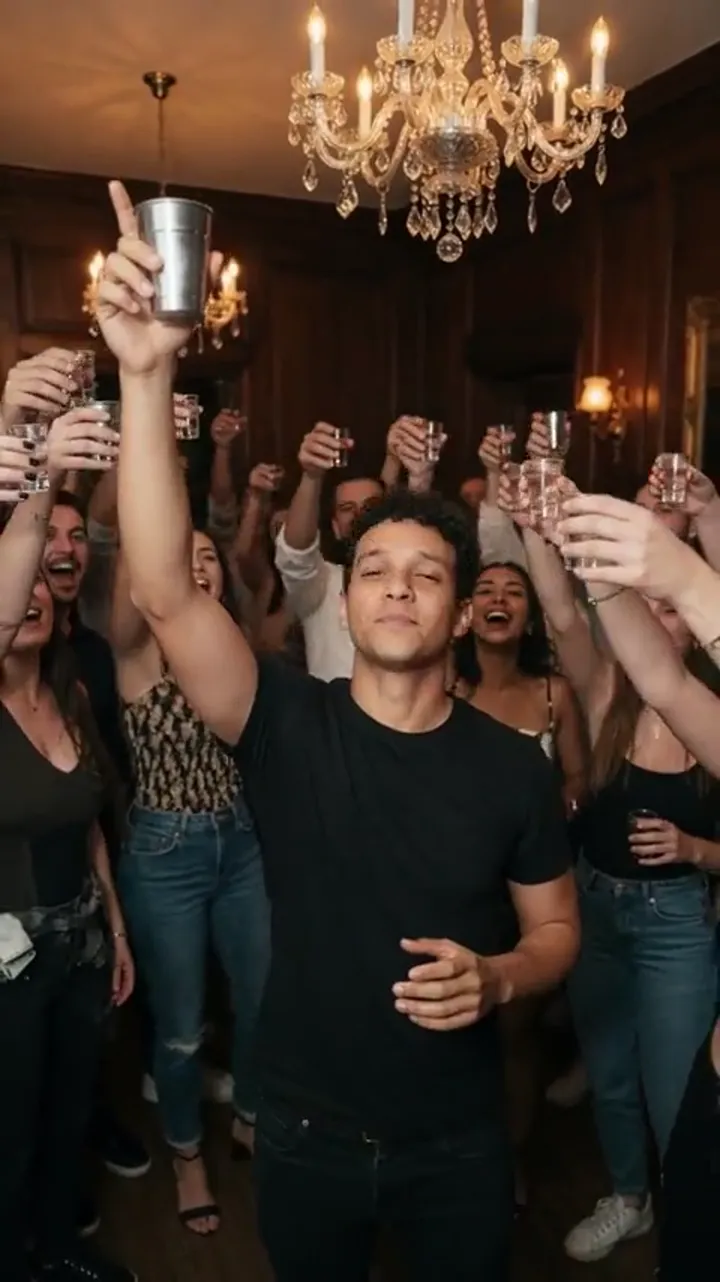
The Burning Bridges video is one of the most recognizable party clips on TikTok, Reels and Shorts right now.
The scene is always the same: a glowing chandelier, a packed room, a silver metal cup raised high, a confident look straight into the camera, finger guns, and a quick glance around the room as if you are asking everyone where the party went.
Friends cheer in the background and the whole moment feels like a music video you were never invited to.
What made the format explode is how easy it is to drop anyone into it.
People make versions of themselves, their best friend, their boss, their dog, or a cartoon character, and the contrast between an ordinary photo and a full celebrity-style party is what makes viewers stop scrolling.
Burning Bridges Video lets you join the trend with a single photo, without filming anything, editing a timeline, or learning any video software.
The classic way to use the generator is with your own face. A recent, well-lit selfie gives the most convincing result, and you get to see yourself as the center of the party.
Turning a friend into the star of the clip is the most popular way to use the trend for birthdays, group chats and inside jokes. Only upload photos of people who are happy to be included.
Dogs and cats make some of the funniest versions. A clear photo where your pet is looking toward the camera helps the AI place the cup raise and the look-around naturally.
Illustrations, avatars and anime-style drawings can be animated too. Bold outlines and a clearly visible face give the most stable motion.
Whatever you upload, the generator uses the same scene and the same moves, so your clip instantly reads as part of the Burning Bridges trend.
The process takes three steps and can be started entirely from your browser.
Choose a sharp, well-lit portrait with one subject. A front-facing selfie works best, but a portrait of a friend, a pet photo or a cartoon drawing works too.
Choose portrait or landscape; the party prompt is already written for you. Our AI reads the face and overall look, aiming to keep the subject recognizable from the first frame to the last.
AI builds the chandelier-lit party, crowd, cup raise, finger guns and look-around, timed to an original beat. Preview and save the finished clip; vertical video is sized for TikTok, Instagram Reels and YouTube Shorts with no cropping, trimming or additions needed. Try another photo if needed—different angles and lighting often give a noticeably different feel.
A few small choices make a big difference to the final video:
If your first result looks a little off, a different photo from the same set usually fixes it.
Upload a photo. We handle the prompt.
Buy videos. Failed renders are free.
Pick a shape and share your clip.
Make the birthday person the star of the party and post it at midnight.
Send a friend's clip as the ultimate reply to good news.
Give your dog or cat a moment of party fame on their own page.
Jump on the trend quickly while it is still climbing, without filming a new video.
Celebrate a launch or a win with a clip of a willing coworker, and keep it light.
Because the clip is short and vertical, it fits naturally into Stories, Reels, Shorts and TikTok without any extra editing.
A viral party video template starring your photo.
| Filming yourself | AI video from a photo |
|---|---|
Find a venue and gather a crowd | Party location and crowd built in |
Set up lighting and a camera | Upload one existing photo |
Learn and film the choreography | Cup raise and finger guns generated |
Edit timing and crop for social | Preview and download a vertical clip |
Recreating the Burning Bridges scene by hand means finding a room with a chandelier, gathering a crowd, getting the lighting right, learning the moves and then editing the timing until it matches the beat.
Most people never get past the first step, which is exactly why so many trend clips you see are made with AI.
With Burning Bridges Video, the location, the lighting, the crowd and the choreography are already built in.
You bring the photo and the AI handles the rest.
That makes it practical to make several versions in one evening: one of yourself, one of your best friend and one of your dog, then post the one that gets the biggest laugh.
It also means anyone can join the trend while it is hot, not a week later after the moment has passed.
The result is a short, shareable clip that looks like it belongs in the trend, made from a photo you already have on your phone.
Your photo is used only to create your video.
Uploaded photos are deleted automatically within 24 hours, and download links for finished videos expire after 24 hours, so please save the clip to your device once it is ready.
We do not use your photos to build public galleries without your permission.
Please upload only photos you have the right to use, and do not create clips that impersonate, harass or mislead anyone.
Burning Bridges Video is an independent tool for making fun trend videos and is not affiliated with any artist, label or social platform.
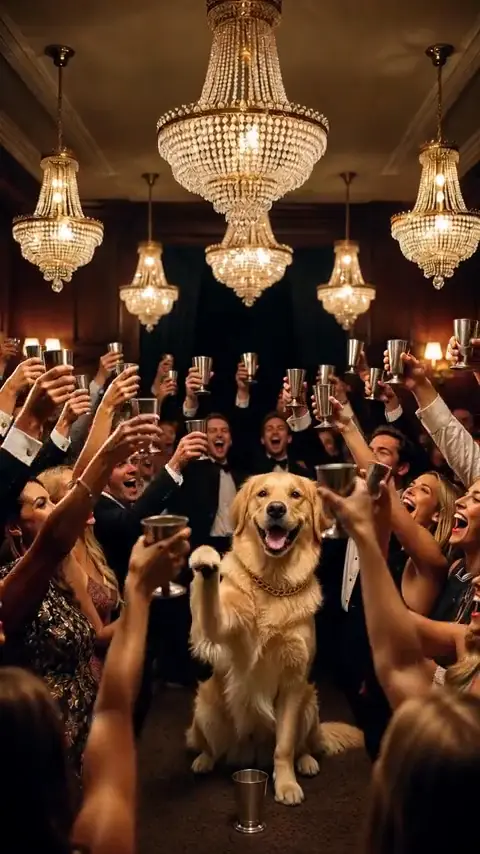
Dogs and cats can host too. Choose a clear, front-facing photo. Human moves may become a head turn or a paw move.
1 video · 10s/720p
10-second vertical clips. Failed renders are free.
No. This is an unofficial, independent AI tool. It is not affiliated with Drake or the owners of the song or music video.
No. We do not supply the original song or MV footage. If you add music when sharing, use your platform’s licensed music tools and check the applicable rights.
Results vary. Kling uses your photo with a fixed prompt. Exact gestures, likeness, and scene matching are not guaranteed.
Each 10-second, 720p, 9:16 or 1:1 clip uses 1 video (10 credits). Failed renders are free. Usually about 4 minutes; you can leave and we’ll email you.
You can try a clear pet photo, but the human party gestures may not translate well. Use only photos you have permission to upload.
Your photo is used only to generate your clip and is deleted within 24 hours.
No. Everything runs in your browser on phone or desktop.
Yes, as long as they are happy to be in the video. Please do not use photos of people without their consent.
Low light, side angles, filters and group photos make it harder to keep the face consistent. Try a clear, front-facing photo of one subject.
Clips come with an original beat generated for the scene. You can also add your own sound when you post on TikTok or Reels.
Uploaded photos are deleted automatically within 24 hours.